
Auditing at Scale: The CCSD Website Database Application
When managing a digital ecosystem as vast as the Clark County School District (CCSD) website, manual content audits aren’t just difficult—they’re impossible. Following the migration to the Finalsite CMS, the need for a comprehensive bird’s-eye view of our assets became critical. This led me to architect and build the CCSD Website Database, a custom application I developed and project-managed to streamline our content audits and accessibility compliance.
To ensure the solution was lightweight, fast, and easy to deploy on our existing infrastructure, I built the application using a proven stack: PHP for the scraping logic and backend, MySQL to handle the robust database, and Bootstrap CSS paired with custom JavaScript for the responsive, interactive dashboard.
The Challenge: Visibility in a Sea of Content
With thousands of pages across various departments and divisions, keeping track of every link and file is a monumental task. Specifically, identifying every PDF across the domain is essential for ensuring that all documents meet ADA accessibility standards. I needed a tool that would instantly allow me to see which pages hosted which files, without clicking through every sub-navigation menu.
How It Works: Scrape, Categorize, Audit
The application functions as a central intelligence hub for the ccsd.net domain. It systematically crawls the site to identify, catalog, and categorize every link it encounters.
-
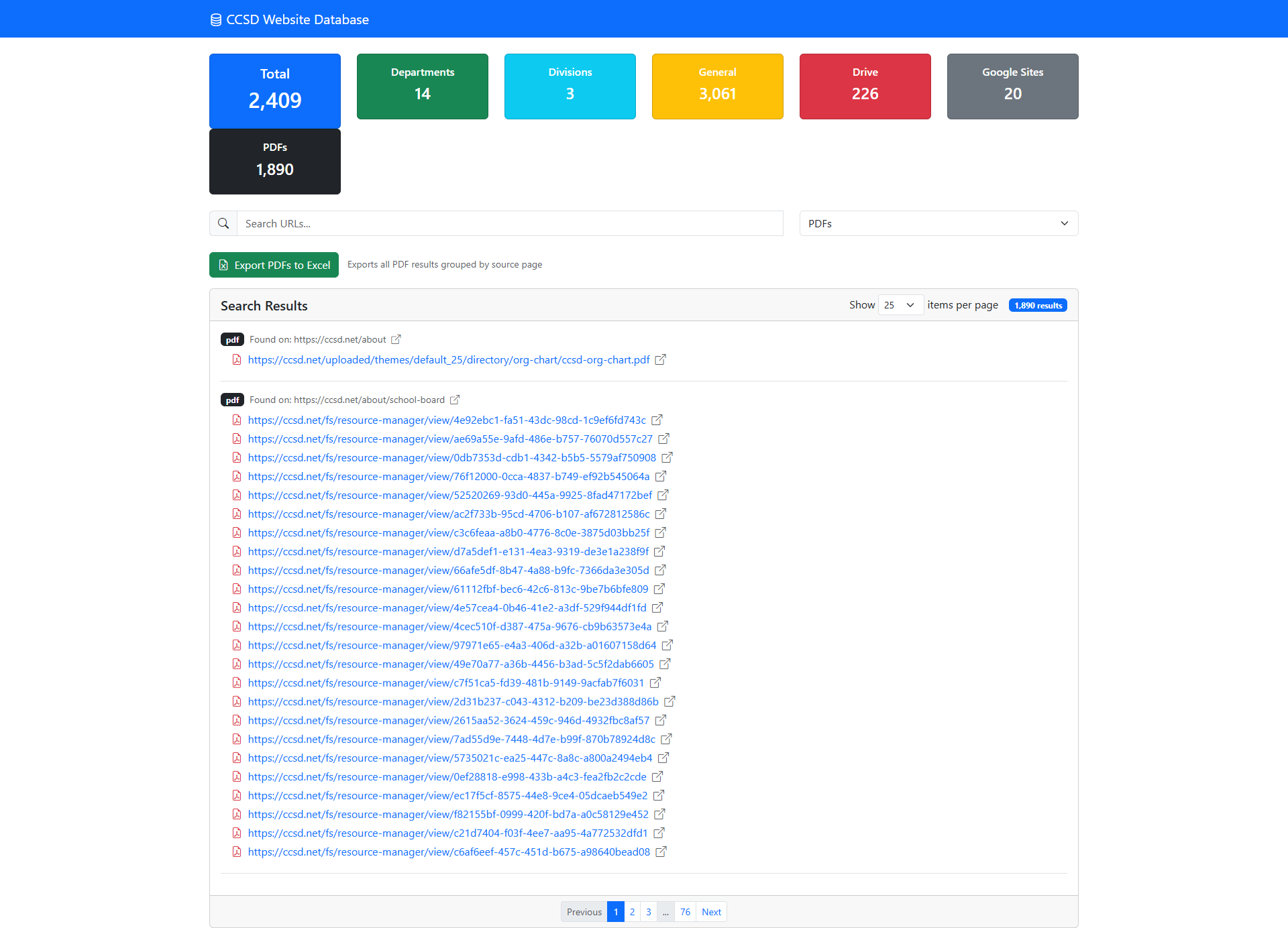
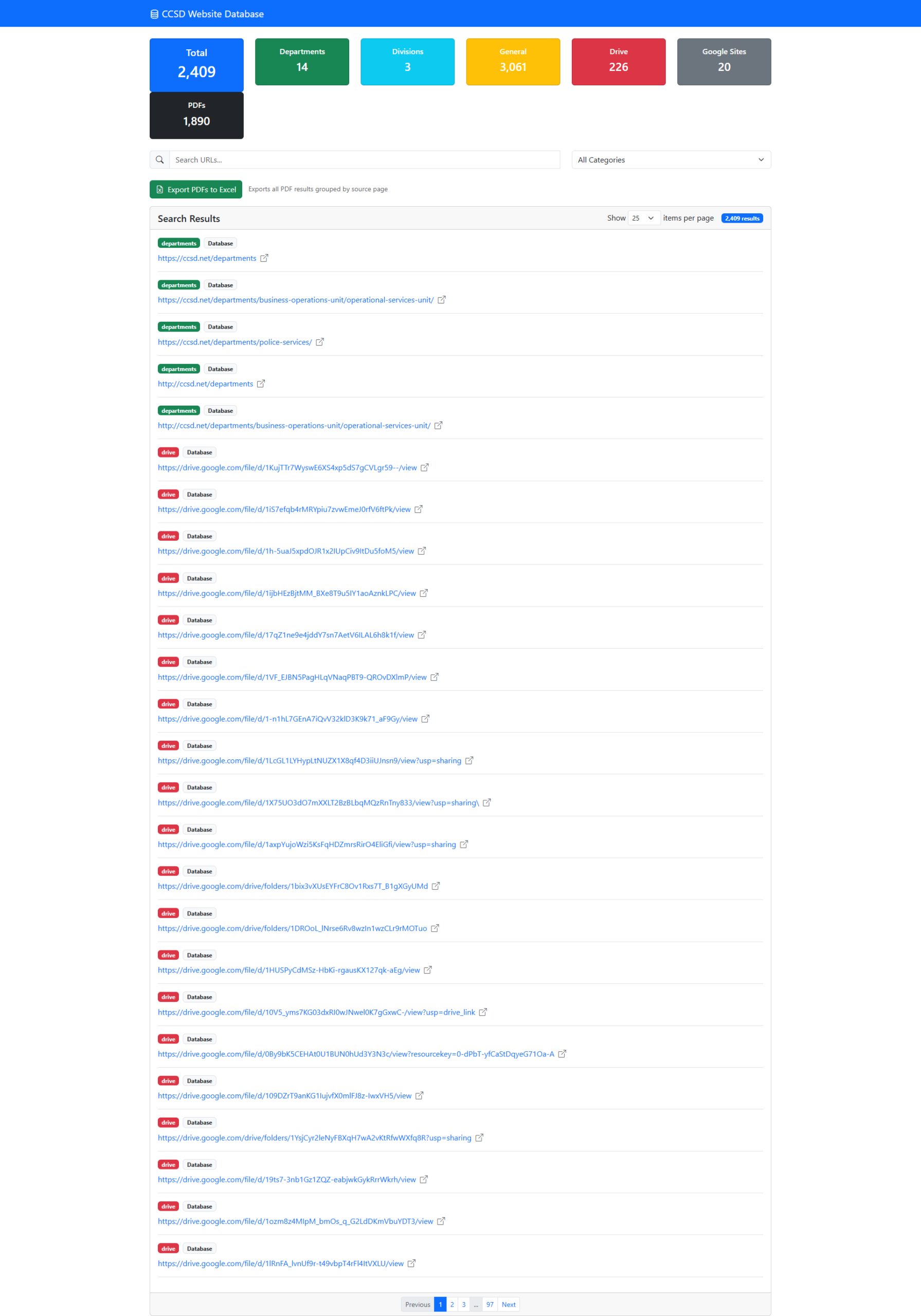
Total Content Mapping: The dashboard (built with Bootstrap for responsiveness) provides a real-time count of total URLs (currently over 2,400) and breaks them down by source: Departments, Divisions, and General pages.
-
Asset Identification: Using custom JavaScript functions, it specifically flags external integrations, including Google Drive files and Google Sites, which often hide deep within the site architecture.
-
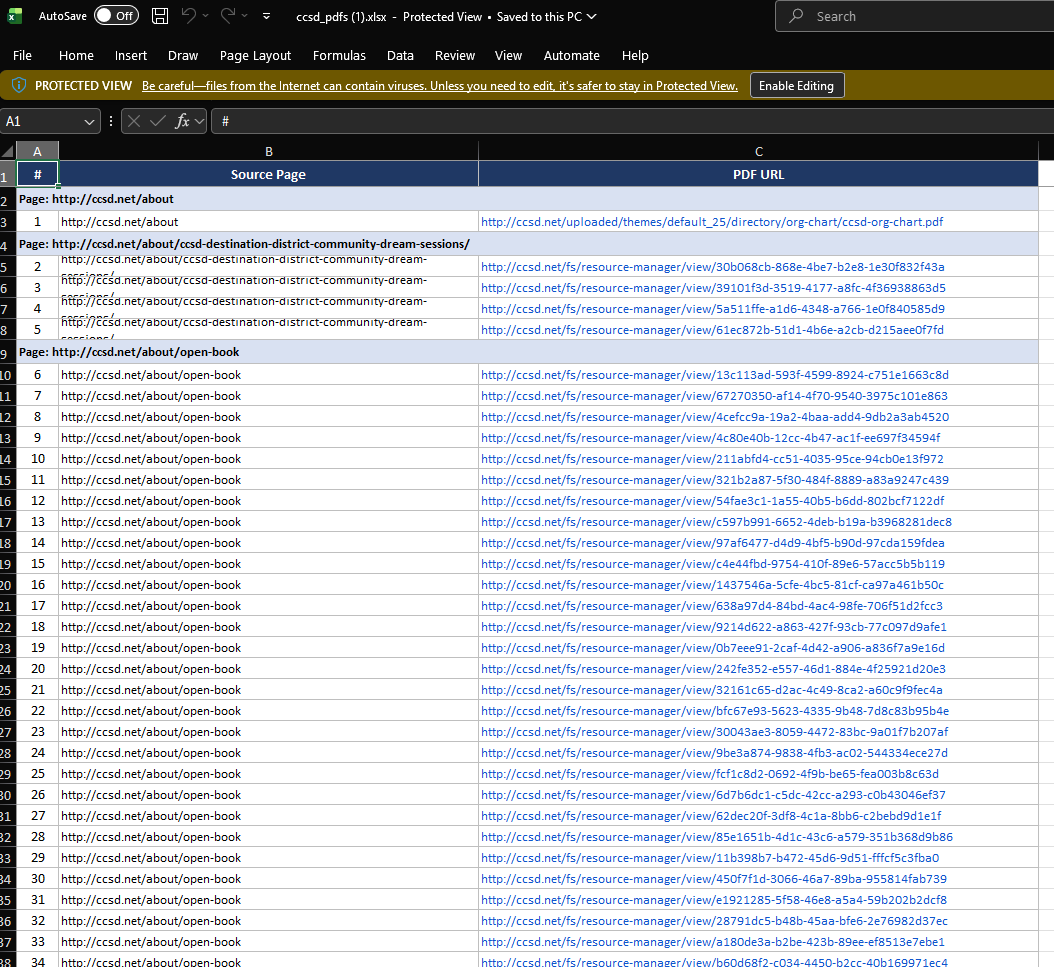
The PDF Power-Tool: The standout feature is the dedicated PDF scanner. It doesn’t just list the files; it groups them by their Source Page. This allows our team to identify exactly where an inaccessible document lives so it can be updated or replaced.
Key Features for Content Strategy
| Feature | Function | Benefit |
| Categorization Filters | Sort links by Department, Division, or File Type. | Quickly isolate content for specific stakeholders. |
| Searchable Database | Live search across all scraped URLs. | Find specific legacy links in seconds. |
| Export to Excel | Generate a CSV/XLSX of all PDF results grouped by source. | Perfect for creating actionable task lists for accessibility teams. |
| Drive/Sites Tracking | Catalog 200+ Google Drive links and 20+ Google Sites. | Ensures “hidden” content is still part of the official audit trail. |
Why This Matters for Accessibility
Accessibility isn’t a “one and done” project; it’s a continuous process. By having a list of every PDF and its parent page, we can perform batch scans using accessibility checkers. If a document fails, we no longer have to hunt for where it’s linked—the database tells us exactly where to go.
This tool has transformed our audit workflow from a reactive scavenger hunt into a proactive, data-driven strategy, ensuring that the ccsd.net digital presence remains organized, transparent, and accessible to all.
Tags
Case Studies custom GovernmentWould you like to hire me?
Interested in working together? Let's talk.
Contact